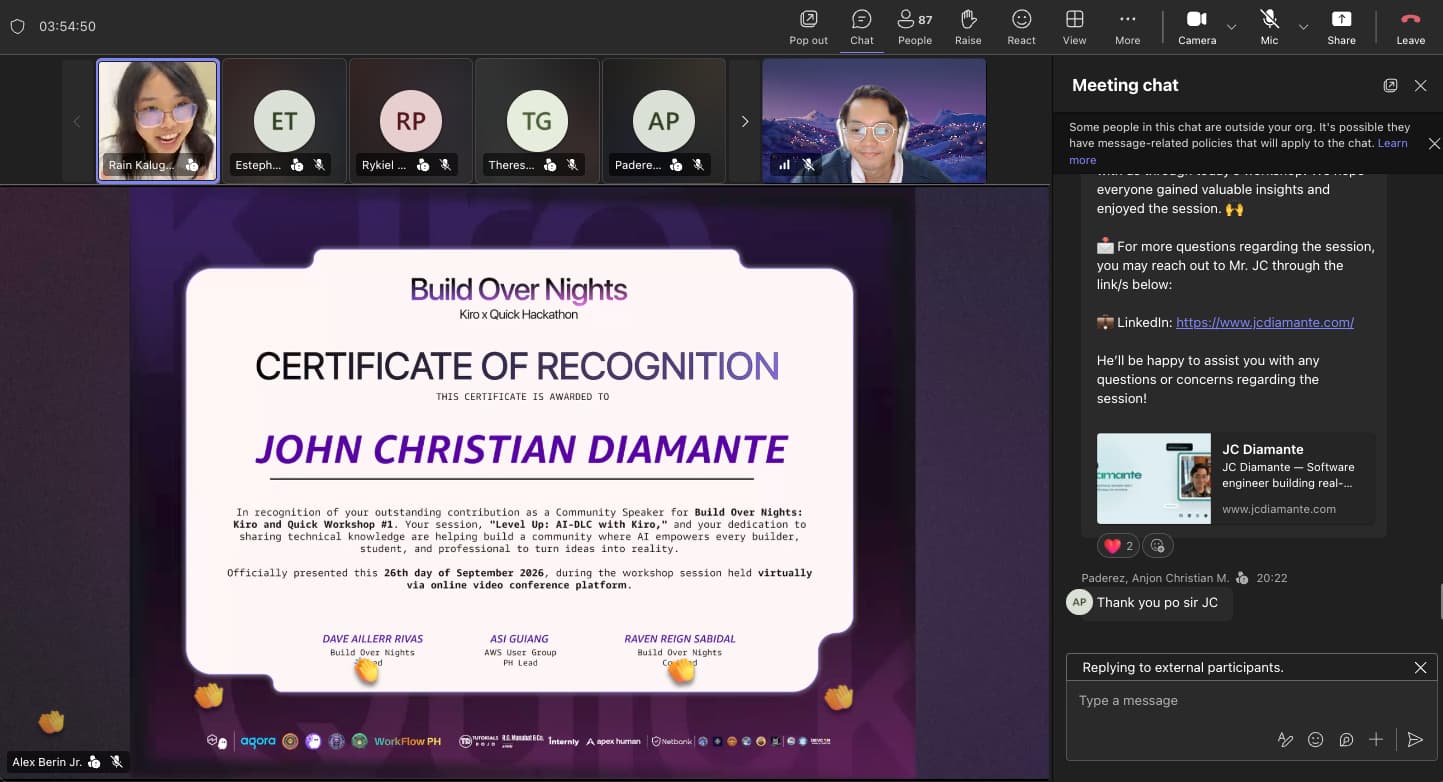
Level Up: AI-DLC with Kiro
Contribute to ScholarSprint with Kiro CLI and AI-DLC: define Markdown export, approve the requirements, and verify the download.
Slide 1 of 23 — Level Up
Build Over Nights · Online Workshop
Level Up: AI-DLC with Kiro
From asking for code to owning the result.
JC Diamante
September 26, 2026
Presenter note: Open with the shift in responsibility. AI can take on much of the repetitive implementation, but a builder still owns the destination, the important decisions, and the evidence that the result works. Use the captain analogy briefly: the captain sets the destination, approves the route, and checks where the ship arrived. Then move immediately to a concrete failure rather than explaining the whole method up front.
Slide 2 of 23 — What next?
Imagine: Markdown export must preserve headings
AI says “done.” The headings are missing.
A: Stricter prompt — Tell AI to make no mistakes and try again.
B: Stronger model — Switch models and rerun the same task.
C: Use evidence — Compare the failure with the requirement, fix, then retest.
Presenter note: Present a hypothetical failed implementation: we asked for a Markdown export that preserves headings, but AI only changed the file extension. This is not an observed ScholarSprint bug. The existing app offers raw text export; adding Markdown is today's contribution. Ask what participants would do next and collect an A, B, or C vote. Do not reveal the answer until the next slide. A stricter warning does not identify the mismatch, and changing models does not provide evidence. C closes the loop by comparing the downloaded file with the requirement.
Slide 3 of 23 — Use the failed check
The answer to the opening question: C
Reproduce the failure.
Fix against the requirement.
Retest.
Presenter note: Now reveal C. In the hypothetical failure, the downloaded Markdown lacks the required headings. Open the file, compare it with the displayed summary, show the agent the mismatch, and rerun the check after a correction. A .md filename by itself is not proof. The exported contents must preserve the agreed structure. This gives the room a practical reason to inspect requirements and results before introducing AI-DLC terminology.
Slide 4 of 23 — Who are you?
First vote · remember the result
Which builder are you closest to today?
Ari: The Purist — I write and check it myself. No AI.
Blake: The Autopilot — The latest model can plan, build, and decide when it's done.
Casey: The Captain — I set the goal, approve the plan, and verify the result.
Presenter note: Reveal Ari, Blake, and Casey with one right-arrow press each, then ask for a separate A, B, or C vote based on current behavior, not on the ideal answer. Record the counts so the closing poll can use the same wording and order. Keep the tone light without shaming participants: Ari may call AI-assisted builders vibecoders in the spoken setup, but the on-screen choices stay neutral enough for people to answer honestly. Do not identify Casey as the desired answer yet. These are exaggerated positions to make the responsibility question visible.
Slide 5 of 23 — What is AI-DLC?
AI-Driven Development Life Cycle
A guided way to build with AI.
Image: Five AI-DLC phases from Initialization and Ideation through Inception, Construction, and Operation, with a short purpose for each
From intent to operation, AI-DLC keeps plans, decisions, work, and evidence connected.
Source: Adapted from AI-DLC Workflows · Phases and Stages
Presenter note: Define AI-DLC as a methodology for structured, traceable AI-assisted software development. AWS introduced the underlying method: AI creates plans, asks for clarification, and implements after people validate critical decisions. The current open-source AI-DLC Workflows guide has five phases: Initialization, Ideation, Inception, Construction, and Operation. Some stages are conditional based on the chosen workflow, so this diagram shows the full map, not the exact path our short Express demo will take. The AWS article described three broad delivery phases in 2025; use the current guide for this implementation's five-phase structure. Editable artwork: src/features/resources/artwork/aidlc-phases.svg. Sources: https://aws.amazon.com/blogs/devops/ai-driven-development-life-cycle/ and https://awslabs.github.io/aidlc-workflows/guide/04-phases-and-stages/
Slide 6 of 23 — The loop
AI-DLC, simplified for this workshop
A loop you can steer.
Give AI the work. Keep the decisions and the evidence.
1. Intent: Define the outcome. You decide
2. Clarify: Settle unknowns. Work together
3. Approve: Accept a testable target. You decide
4. Build: Implement the plan. AI executes
5. Verify: Check against the target. You check
Return to Clarify: Mismatch? Clarify, correct, and verify again.
Repeat for each meaningful change.
Presenter note: This is a teaching model, not a claim that the current AI-DLC repository has only five stages. AWS describes a repeating pattern in which AI proposes a plan, asks for missing context, and implements after human validation. The current implementation has more detailed stages and workflow profiles. Tell the room that the loop is the part they can carry into any AI coding tool: know the intent, settle the questions, approve a target, build it, and verify it.
Slide 7 of 23 — Who decides?
The responsibility shift
Delegate work. Keep judgment.
AI
Draft requirements, plans, code, and tests.
Proposals and execution
People
Set goals and constraints. Approve decisions. Inspect results.
Context and accountability
Presenter note: Explain the practical split without claiming humans must write every plan themselves. The AI can draft the plan, but the person steering checks whether it serves the actual goal. The same holds for tests: an agent may generate them, but the person must decide whether they cover the agreed behavior. In the Kiro demo, stop at the requirement approval point and read it aloud before letting implementation proceed.
Slide 8 of 23 — AI-DLC resources
Read and try it later
Explore AI-DLC. Contribute to ScholarSprint.
GitHub · code and installation — github.com/awslabs/aidlc-workflows
Guide · workflows and Kiro setup — awslabs.github.io/aidlc-workflows
AWS · original AI-DLC overview — aws.amazon.com/blogs/devops/ai-driven-development-life-cycle
ScholarSprint · our contribution project — github.com/Zeraphim/ScholarSprint
Presenter note: Give attendees the three AI-DLC primary sources and the ScholarSprint repository used for the demonstration and exercise. The AI-DLC repository contains releases, the guide explains the current workflow, and the AWS article introduces the method with an earlier three-phase description. ScholarSprint is the Python and Streamlit project where participants will make a local contribution. The links are clickable in the web deck. Presenter instructions live in ScholarSprint_AI_DLC_Demo_Runbook.md beside talk-mats-outline.md. Sources: https://github.com/awslabs/aidlc-workflows, https://awslabs.github.io/aidlc-workflows/, https://aws.amazon.com/blogs/devops/ai-driven-development-life-cycle/, and https://github.com/Zeraphim/ScholarSprint
Slide 9 of 23 — Henry Schein One
Case study · product discovery
Henry Schein One: decide what to build.
AWS case study — 17 leaders joined; two prototypes are advancing toward production.
4 in <24h: Working prototypes. This measured discovery, not production releases.
Presenter note: AWS reports that Henry Schein One brought 17 senior leaders into an AI-supported discovery session and small teams produced four working prototypes in under 24 hours; two were advancing toward production when the case was published. The human contribution was choosing and shaping the use cases. The result is about prototype speed and preserved strategic context, not a measured production deployment gain. Our inference: keep the reason for a feature connected to what the team eventually builds. Source: https://aws.amazon.com/blogs/industries/henry-schein-one-goes-ai-native-with-ai-product-discovery-and-strategy/
Slide 10 of 23 — Kloia
Case study · modernization assessment
Kloia: examine evidence before committing.
AWS and Kloia case study — AI analyzed the estate; architects and subject experts validated it.
4 weeks: Reported assessment time versus a 3–6 month baseline; the deliverable was a blueprint.
Presenter note: AWS and partner Kloia report compressing a three-to-six-month discovery and assessment cycle into four weeks for a regulated UK financial institution. The deliverable was a board-ready modernization blueprint, not a completed modernization. AI analyzed repositories, database scripts, architecture material, and CI configuration; senior architects and subject experts validated findings and made architecture decisions. Our inference: AI can assemble evidence quickly, while people resolve ambiguity and own the recommendation. The timing comparison is a case-study claim, not a controlled experiment. Source: https://aws.amazon.com/blogs/modernizing-with-aws/how-kloias-ai-dlc-delivered-a-net-modernization-blueprint-on-aws-in-4-weeks/
Slide 11 of 23 — Peloton
Case study · organizational scale
Peloton: make the workflow usable at scale.
AWS and Peloton case study — Its internal AI gateway serves more than 600 users.
400+: Pull requests merged in the agent platform's first 20 days. An activity count, not a quality score.
Presenter note: The AWS and Peloton account says its Quarry gateway serves more than 600 users and that Bureau's first 20 days included more than 400 merged pull requests. Peloton built shared access with short-lived credentials, usage tracking, and logged agent missions. Treat the pull-request count as a scale and activity measure; the article does not establish a controlled quality or business-impact comparison. Our inference: once many people use agents, access and observability become part of the workflow. Source: https://aws.amazon.com/blogs/industries/blazing-a-trail-how-peloton-rebuilt-the-sdlc-for-the-agentic-era-with-amazon-bedrock/
Slide 12 of 23 — DORA check
Research · across organizations
Speed still needs verification.
Google Cloud DORA findings — More than 80% reported productivity gains from AI.
2025 research description — Survey responses from nearly 5,000 technology professionals.
30%: Reported little or no trust in AI-generated code. Define success, then check it.
Presenter note: DORA's 2025 research describes survey responses from nearly 5,000 technology professionals. Google Cloud summarizes that over 80 percent reported productivity gains while 30 percent reported little or no trust in AI-generated code. These are self-reported survey findings across tools and organizations, not measured AI-DLC or Kiro outcomes. The lesson for this workshop is practical: a faster coding step does not remove the need to define success and inspect the finished behavior. Sources: https://cloud.google.com/devops and https://research.google/pubs/dora-2025-state-of-ai-assisted-software-development-report/
Slide 13 of 23 — Meet Kiro
The tool we will use
Kiro is an agentic development environment.
Its CLI brings the agent to your terminal: it reads the repo, uses tools, edits files, and asks for approval.
Kiro also has IDE and web surfaces.
The model supplies reasoning; Kiro supplies the working environment.
Image: Official Kiro CLI illustration showing its terminal interface and a sample prompt
Presenter note: Introduce Kiro before opening the demo terminal. Kiro is an AI development environment powered by a unified agent harness across IDE, CLI, and web surfaces. The CLI is the terminal surface: it can inspect project files, run tools, modify code, and ask for permission. A selected model supplies reasoning, while Kiro manages the session, context, tools, and permissions. The image is Kiro's official CLI illustration, not a screenshot of the prepared demo. Sources: https://kiro.dev/docs/ and https://kiro.dev/docs/cli/setup/. Artwork: https://kiro.dev/downloads/
Slide 14 of 23 — Harnesses
Place Kiro on the map
Kiro CLI is our harness tonight.
Image: Five agent harnesses: Kiro CLI highlighted beside Pi, Hermes Agent, Claude Code, and Codex CLI
Pi, Hermes Agent, Claude Code, and Codex CLI play a similar role. Tonight: Kiro CLI + AI-DLC.
Source: Visual marks: Kiro · Pi · Hermes Agent · Simple Icons · OpenAI
Presenter note: A harness is the working environment around a model: it supplies project context, tools, a session, and a way to control actions. Kiro CLI is comparable at that level to Pi, Hermes Agent, Claude Code, and Codex CLI, although their features and permissions differ. Pi explicitly calls itself a minimal agent harness. Kiro itself describes one unified harness with CLI, IDE, and web surfaces. AI-DLC is a separate method installed into a supported harness; the AI-DLC repository currently lists Kiro CLI, Claude Code, and Codex CLI among its supported harnesses. Pi and Hermes are category comparisons here, not a claim that AI-DLC supports them. Editable artwork: src/features/resources/artwork/kiro-harnesses.svg. Visual marks: Kiro icon from https://kiro.dev/icon.svg, Pi badge from https://pi.dev/press-kit, Hermes avatar already used by this portfolio, Claude Code mark from Simple Icons, and OpenAI mark from the portfolio's existing brand icon. Product sources: https://kiro.dev/docs/, https://pi.dev/, https://github.com/NousResearch/hermes-agent, https://code.claude.com/docs/en/overview, https://developers.openai.com/codex/cli/, and https://github.com/awslabs/aidlc-workflows
Slide 15 of 23 — Kiro CLI
Live demo · 30–55 minutes
Kiro CLI runs the AI-DLC workflow.
In the prepared ScholarSprint checkout
$ kiro-cli chat
> /aidlc --doctor
> /aidlc express
> /aidlc --guard-policy strict
> /aidlc --status
Scope: a small feature, already defined
Presenter note: Use ScholarSprint_AI_DLC_Demo_Runbook.md for exact commands, narration, expected results, and recovery. The demo checkout is separate from the portfolio. Both shell and chat doctor checks must pass during preparation. Start Express only after settling the feature behavior. Once the intent exists, request strict guards and inspect status before approving application changes. Defaults and command wording vary by release; do not claim a setting took effect without checking. Express skips separate design and stage-review work, and strict guards do not restore those stages or guarantee correctness. Source: https://awslabs.github.io/aidlc-workflows/guide/harnesses/kiro-cli/ and https://awslabs.github.io/aidlc-workflows/guide/workflow-profiles/
Slide 16 of 23 — Live request
ScholarSprint · an existing research-summary app
"Let me download this summary as Markdown."
Formatted on screen. Text export already works. Add Markdown.
Presenter note: Open the live ScholarSprint copy on port 8501 and select workshop-paper.pdf on Summary Detail. Explain that these are saved synthetic summaries, not real research findings or newly generated model output. Show the formatted summary and existing Export This Summary text download. The current text export is working behavior; the contribution adds Markdown. Use the import check from ScholarSprint_AI_DLC_Demo_Runbook.md and call it a setup check, since the inspected upstream commit has no test suite. Show the public repository so participants know where they can contribute: https://github.com/Zeraphim/ScholarSprint. Settle the next slide's decisions before pasting the complete runbook brief.
Slide 17 of 23 — Decide the behavior
Before implementation
Preserve headings and bullets?
Keep the text export?
For this demo: yes to both.
Presenter note: Ask for audience answers, then state the prepared decisions: preserve the displayed headings and bullets and keep the existing text export. Confirm that changing the selected paper must change the download contents and filename. Reuse the existing formatter, export UTF-8 with the Markdown MIME type, and make no additional model requests or saved-summary changes. Include these decisions in the full brief from ScholarSprint_AI_DLC_Demo_Runbook.md. Answer any further consequential questions before approving requirements.
Slide 18 of 23 — Approved target
Read the requirement before approving
Here is what “done” means.
1. Preserve structure — Reuse the displayed Markdown.
2. Match selection — Right paper, contents, and .md name.
3. Keep text export — Existing behavior still works.
Presenter note: Open the actual requirements artifact named by Kiro and compare it with these criteria before approval. The new Download Markdown button belongs on pages/3_Summary_Detail.py and should use format_summary_markdown. Confirm UTF-8, text/markdown, uppercase PDF suffix handling, preserved empty state, and no regeneration or saved-data changes. Approve a scoped plan and offline unittest checks. Bulk export is the participant exercise, not this live feature. Respond to the actual gate options and request corrections when criteria are missing. Requirement approval is not evidence that implementation already works.
Slide 19 of 23 — Verify the result
Live run or completed rehearsal checkpoint
Check the agreed behavior.
1. Run the tests — Check the result and changed files.
2. Open the download — Check headings, bullets, and .md name.
3. Switch papers — Check selection and text export.
Presenter note: At demo minute 19, talk minute 49, switch openly to the completed rehearsal copy on port 8502 if the live run is not ready. Follow ScholarSprint_AI_DLC_Demo_Runbook.md for the exact fallback commands. Run uv run --no-sync python -m unittest discover -s tests -v in the chosen checkout. Confirm real tests ran, then download and inspect workshop-paper.md. Select second-paper.PDF and check second-paper.md, its distinct content, and café. Verify the legacy text download still works. Use recorded rehearsal evidence for empty state and unchanged saved summaries if time is short. Never describe prepared output as freshly generated or a renamed extension as proof of formatting.
Slide 20 of 23 — Your turn
25-minute guided exercise
Export all summaries as Markdown.
1. Decide — Keep displayed order. Separate papers clearly.
2. Approve — Read the requirement before code is written.
3. Verify — Check both papers and preserve text export.
Presenter note: Participants use their own prepared checkout of the original ScholarSprint baseline with the synthetic fixture and no active intent. They do not depend on the presenter finishing the individual export. Follow the exercise in ScholarSprint_AI_DLC_Demo_Runbook.md: add Export All Summaries as Markdown on the uploaded-PDF page, reuse the formatter, preserve displayed order, and put a horizontal rule between papers. Check two papers, one paper, no papers, Unicode, and preserved bulk text export. Aim for a reviewed local change and evidence in 25 minutes. A requirement alone is partial progress. Coordinate distinct contributions before after-session PRs so everyone does not submit the same feature. Repository: https://github.com/Zeraphim/ScholarSprint
Slide 21 of 23 — Debrief
After the exercise
What did AI ask?
What did you decide?
What proves it works?
Presenter note: Invite two or three participants to share one export decision and evidence from their download or tests. If implementation is unfinished, ask for the approved requirement and the next check, labeling that as partial progress. Invite people to continue with ScholarSprint at https://github.com/Zeraphim/ScholarSprint and follow the runbook's fork, review, and PR instructions after agreeing an unclaimed contribution. Use the remaining time for questions, then return to the opening persona poll. Do not pressure participants to submit duplicate exercise PRs.
Slide 22 of 23 — Who are you now?
Final vote · compare with the first
Which builder are you closest to today?
Ari: The Purist — I write and check it myself. No AI.
Blake: The Autopilot — The latest model can plan, build, and decide when it's done.
Casey: The Captain — I set the goal, approve the plan, and verify the result.
Presenter note: Repeat the opening poll with the same three choices in the same order. Compare counts and ask what changed, without pressuring anyone to choose Casey. The intended lesson is that AI can handle implementation work while the person steering owns goals, approvals, and validation. Then advance to the closing quote and leave it on screen.
Slide 23 of 23 — The captain
One thing to remember
"AI can do the work. You’re the captain: set the course, make the calls, and check where you arrive."
— JC Diamante, 2026
Presenter note: Close after comparing the two persona votes. Read the quote slowly, then connect its three actions to the talk: set the course means define the goal, make the calls means settle important decisions and approve a testable plan, and check where you arrive means validate the finished behavior against that plan. Leave this slide on screen at the end.